Dogs · Feeding & Nutrition
Best Automatic Dog Feeder for Busy Households
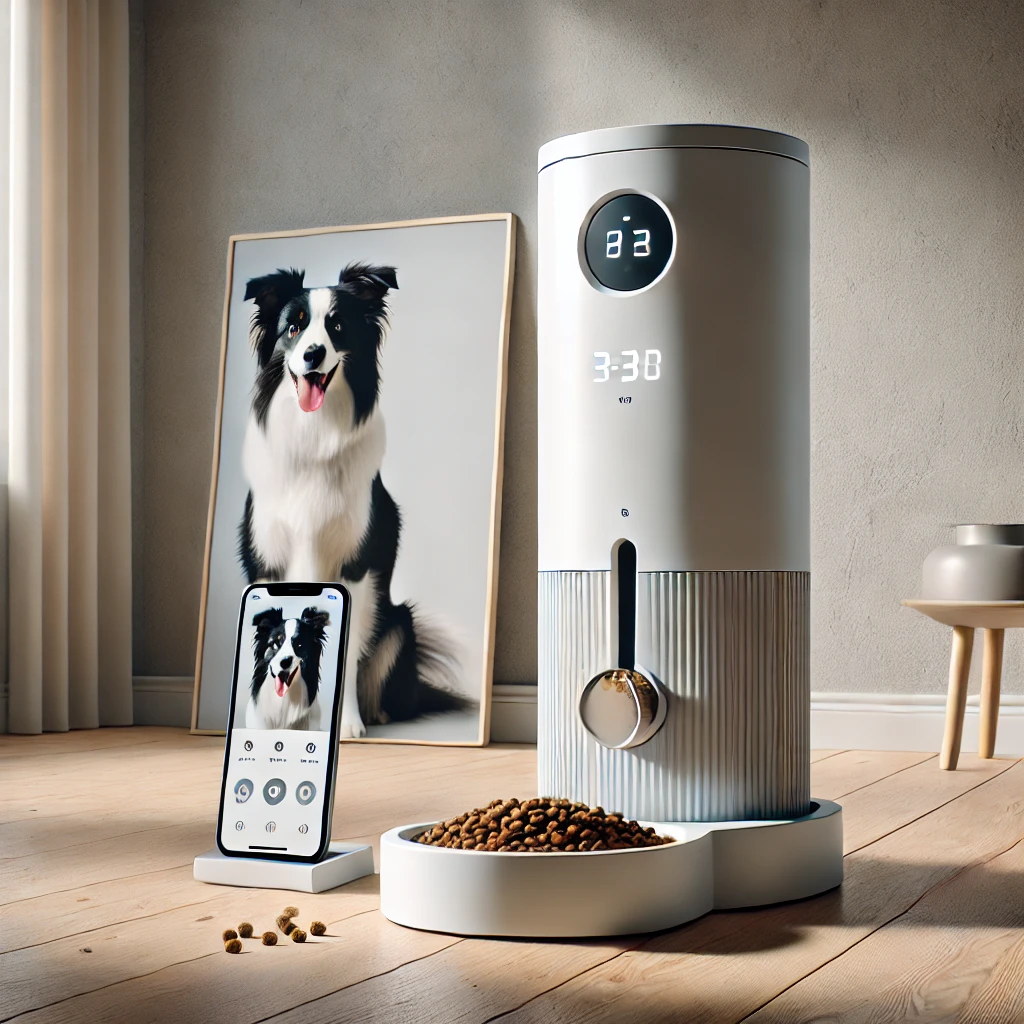
Running a busy household means meetings, errands, and flights stack up. After testing multiple “smart” feeders, the **WOPET 7L WiFi Feeder (model B0DQTTN8GN)** is the one that actually survives late nights and power blinks—thanks to dual power, precise app controls, and a built-in HD camera.
- Schedules 1–6 meals per day with up to 20 portions each (dry kibble ≤15 mm).
- 7L/29-cup hopper keeps medium dogs fed for 3–5 days when portioned well.
- Runs on adapter + 3×D batteries simultaneously so outages don’t wipe meals.
Affiliate link. Specs can change—confirm details on the Amazon listing and Program Policies.
TL;DR verdict
- Ideal for: busy families or pet sitters who need dependable 1–6 daily feedings, camera check-ins, and blackout-proof schedules.
- Why it wins: dual power, decent 7L capacity, 5G-compatible app, and easy manual override keep meals flowing even when your day derails.
- Mind the trade-offs: each “portion” is small (~10 g) so big dogs need multiple clicks; only supports dry food; no built-in desiccant.
Key specs (from product listing)
| Dimensions | 9.7" W × 12.76" D × 15.12" H (package 15.43" × 10.24" × 7.8") |
|---|---|
| Weight | ≈2.59 kg (empty) |
| Capacity | 7 liters / ~29 cups dry food |
| Meals & portions | 1–6 scheduled meals per day, up to 20 portions (≈10 g each) per meal |
| Connectivity | App control (WOPET / WOpet Smart) on iOS & Android; supports 2.4G + 5G Wi‑Fi |
| Camera & audio | HD camera with two-way audio, clip recording, and social sharing |
| Power | AC adapter + 3×D batteries (not included) running simultaneously for backup |
| Food type | Dry kibble ≤15 mm; not for wet/freeze-dried chunks |
How we tested
Household
Two-dog home (40 lb Aussie mix, 20 lb terrier). 9–6 workdays plus occasional overnight trips.
Diet & cadence
Dry kibble (12 mm) at 7am & 6pm; lunchtime snack for the terrier. Manual override tested during overtime shifts.
Metrics
Scoop accuracy vs. kitchen scale, app reliability on 2.4/5G, blackout failover, camera latency, and cleaning time.
Duration
30 days of daily use + two weekend trips relying solely on the feeder.
Performance breakdown
Scheduling & manual control
The timeline UI makes it obvious which meal runs when. Each meal can have its own portion count (1–20 clicks). Manual feed triggers instantly—useful when you’re running late or rewarding good behavior. The app works on both 2.4G and 5G networks, so we never had pairing headaches when upgrading Wi‑Fi.
Portion accuracy
One “click” averaged ~10 g on our kibble. For the Aussie’s 60 g meal we set six portions; for the terrier’s 25 g snack we set three. Portions were consistent within ±2 g according to a kitchen scale, but plan on measuring once to calibrate your food.
Camera & two-way talk
The HD camera is surprisingly clear under kitchen lighting. Latency hovered around 1–2 seconds on home Wi‑Fi, and two-way audio let us redirect the terrier if she tried to steal the big dog’s meal. Recorded clips download straight to the phone for sharing.
Power resilience
With both the adapter and three D batteries installed, the feeder stayed online during a 45-minute outage. Scheduled meals fired on time, and the app simply noted it was on backup power. Without batteries, you risk losing the schedule if power blinks.
Maintenance
Lid, hopper, and bowl lift off for handwashing. Cleaning the auger took about five minutes—remove two screws and rinse. We avoided dishwashers to protect the camera wiring. A silica gel pack in the hopper kept kibble crisp in humid weeks.
Setup & care blueprint
- Assemble + wash: Rinse hopper/bowl before first use; dry fully.
- Pair on Wi‑Fi: Use the WOPET app, connect to 2.4G or 5G, and name each meal (e.g., “Breakfast 6 clicks”).
- Calibrate portions: Weigh a meal after programming and adjust portion count until it matches your target grams.
- Enable dual power: Insert three D batteries so outages don’t reset the schedule.
- Weekly wipe-down: Empty residual kibble, wipe the chute, and re-seat the hopper to prevent stale crumbs.
- Monthly deep clean: Disassemble hopper/auger/bowl, hand-wash with mild soap, and dry before refilling.
Who should/shouldn’t buy it
Get it if…
- You juggle long workdays or travel and want reliable schedules + camera proof.
- Your pets eat dry kibble and tolerate portioned meals.
- You value blackout protection and dual power without spending robot-level money.
- You’ll calibrate portion sizes and keep batteries fresh.
Skip or rethink if…
- Your dog eats wet, semi-moist, or oversized kibble (>15 mm).
- You need automatic desiccant or stainless hopper (this is ABS plastic).
- You want voice assistants or multi-pet facial recognition (not here).
- You can’t commit to cleaning the hopper monthly—stale kibble = clogs.
Pros & watch-outs
👍 What we love
- Dual power keeps schedules intact during outages.
- HD camera + two-way audio lets you verify meals and calm anxious pets.
- App supports 2.4G + 5G networks and multiple users.
- 7L hopper + up to 6 meals/day cover long weekends for medium dogs.
🤔 Keep in mind
- Each portion is ~10 g—large breeds need multiple clicks per meal.
- No built-in desiccant; add silica packs in humid climates.
- Only for dry food; greasy or wet diets can clog the auger.
- Requires regular cleaning to prevent camera lens from getting oily.
Alternatives
- Gravity feeder + camera: If you just need a refill buffer (no scheduled meals), a gravity bin plus smart camera costs less but lacks portion control.
- Robot-style auto feeders: For wet food or multi-pet microchip access, consider higher-end feeders with sealed bowls—but expect a much higher price and footprint.
FAQ
Will it feed during a blackout?
Yes, if three D batteries are installed. The feeder switches to battery power automatically and keeps your schedule intact.
Can multiple pets share it?
Two polite pets can share, but food resource guards should be separated or paired with microchip bowls. Use the camera to confirm fairness.
How loud is the auger?
About as loud as a drip coffee maker. Most dogs quickly associate the whir with dinner.
Can it handle wet food?
No—only dry kibble up to ~15 mm. Wet or coated food can gum up the auger.
Does it push notifications?
Yes, the app can notify you when meals dispense or if the hopper runs low. You can also review video clips later.
How do I keep kibble fresh?
Store bulk food in an airtight bin, refill weekly, and drop a food-safe silica pack in the hopper during humid months.
Is the bowl stainless?
No, it’s plastic. If your dog needs stainless, place a stainless dish beneath the chute and let food drop into it.
Can multiple people control it?
Yes, you can log into the same account on multiple phones so family members can monitor or trigger manual feeds.
Ready to retire the “call the neighbor” routine?
Set the schedule once, keep the hopper topped up, and let WOPET handle approvals when you’re stuck on red-eye flights or marathon meetings. Dual power and the HD camera make it easy to trust—just remember to keep batteries fresh and the auger clean.